layout_moyo-header
Moyo header
Create an HTML page with the header using flexbox based on the Figma Mockup.
The page should match the design Pixel Perfect: all the sizes, colors and distances MUST be the same as on the design.
Here are the Layout Tasks Instructions
Requirements:
- reset browser default margins
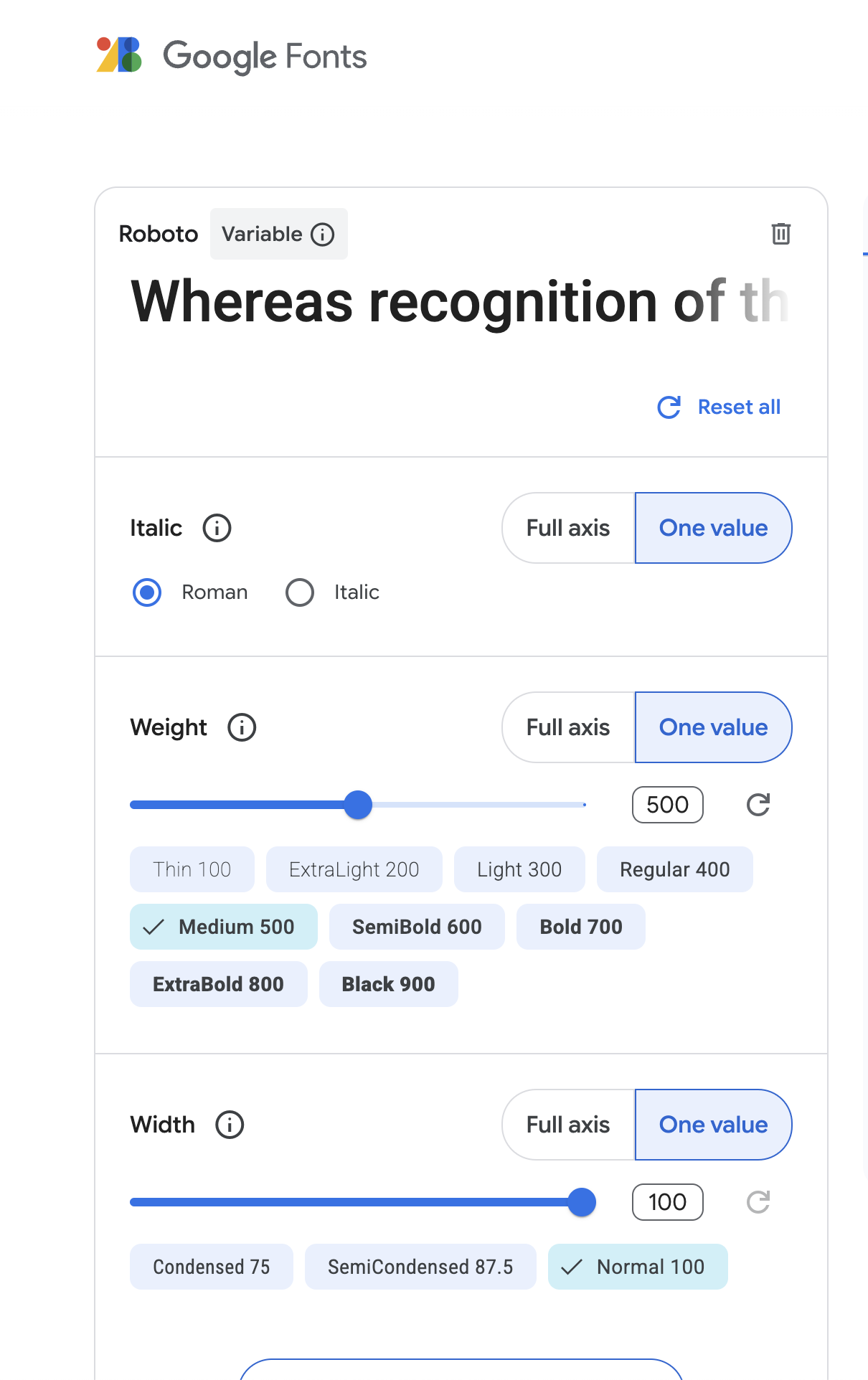
- use Roboto font: select ONLY roman style, medium (500) weight and normal width for embedding. THIS STEP IS IMPORTANT, OR YOUR AUTO TEST MAY FAIL. Take a look at the image at the end of the Readme.
- use semantic tags:
<header>,<img>,<nav>,<ul>,<li>and<a> - the header should stretch the full page width (don’t use a horizontal margin)
- the height should be set for nav links (not the header), take it from the design
- header content should be vertically centered
- the logo should also be a link with an image inside (from src/images). But it should not be a part of the
<nav> - ❗️ the blue link with a line below should have a class
is-activein addition to any other classes you add - ❗️ add
data-qa="hover"attribute to the 4th link for testing (Laptops & computers) - link color should be changed on
:hover - use the
::afterand position it relative to a link withis-activeclass - don’t use the flex
gapproperty for indents. It’s not supported in tests, usemargininstead - there should not be margins before the first and after the last list items
- don’t just copy all styles from Figma. Think, which of them are relevant. Uneven sizes (e.g.
line-height: 14.6px) are definitely useless - Nav Links should not have any padding but have the text centered
Checklist
❗️ Replace <your_account> with your GitHub username and copy the links to the Pull Request description:
❗️ Copy this Checklist to the Pull Request description after links, and put - [x] before each point after you checked it.
- Header height is set in 1 place (for the links)
- Content is vertically centered (for any header height)
- CSS is used to show all letters in Uppercase (don’t type them in HTML)
- Logo is an image wrapped with a link
- CSS Variable is used for a blue color
- Pseudo-element is used for a blue line below the active link
- Code follows all the Code Style Rules ❗️
- The Google Fonts Configuration follows requirements.